For singers
Learn your part. Love the rehearsal.
Chorustr is where you practise the music your choir is working on: your part, at your pace, wherever you are.


You join your choir with a code from your choir leader. How joining works.
Your part
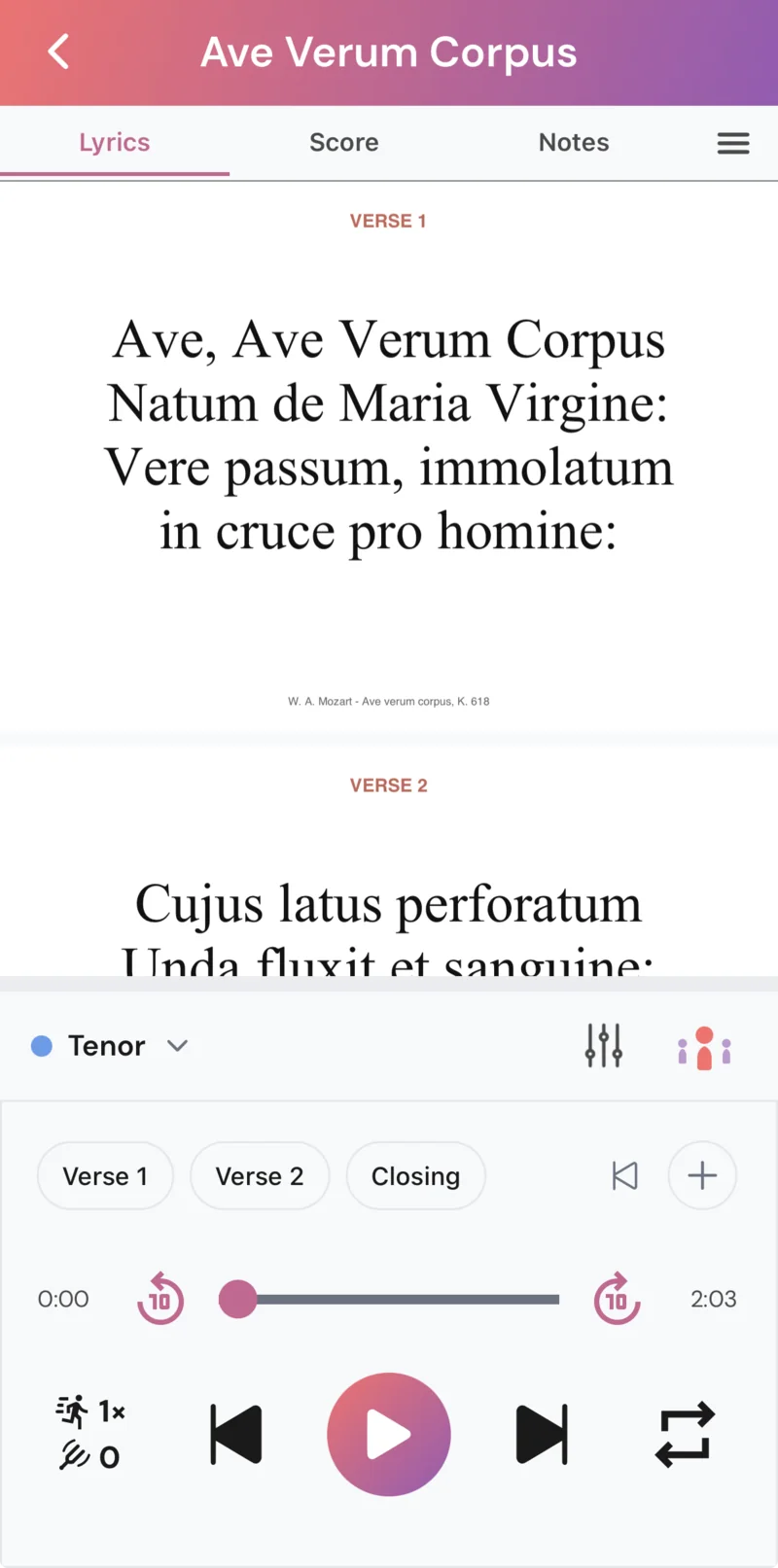
Turn your part up, play it solo, or mute it and sing along.
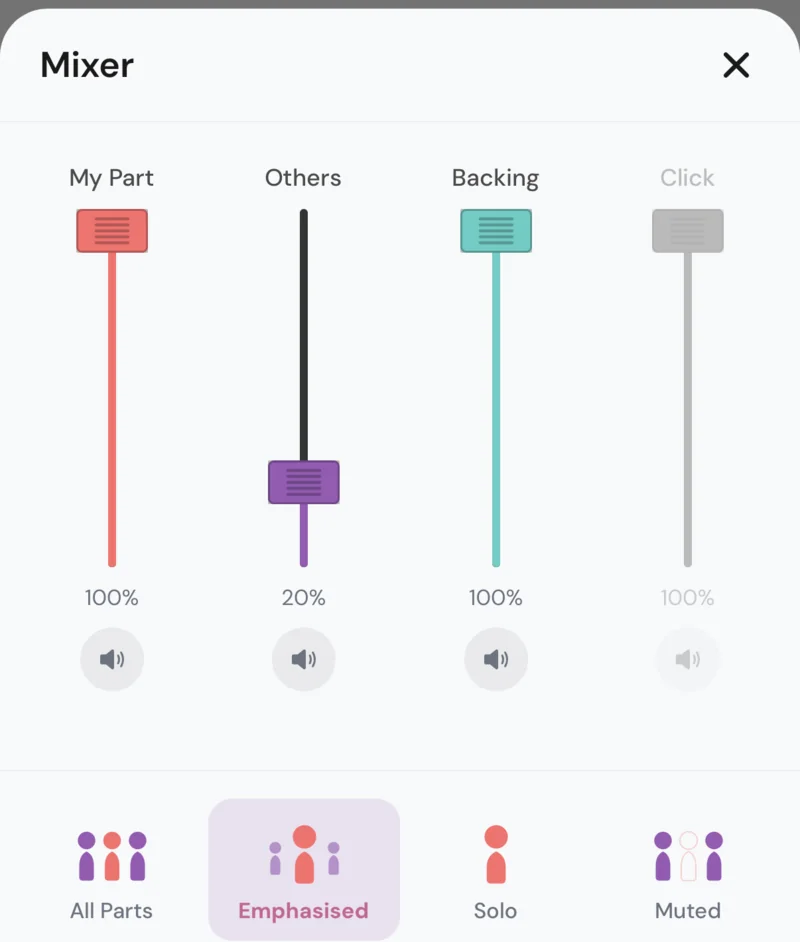
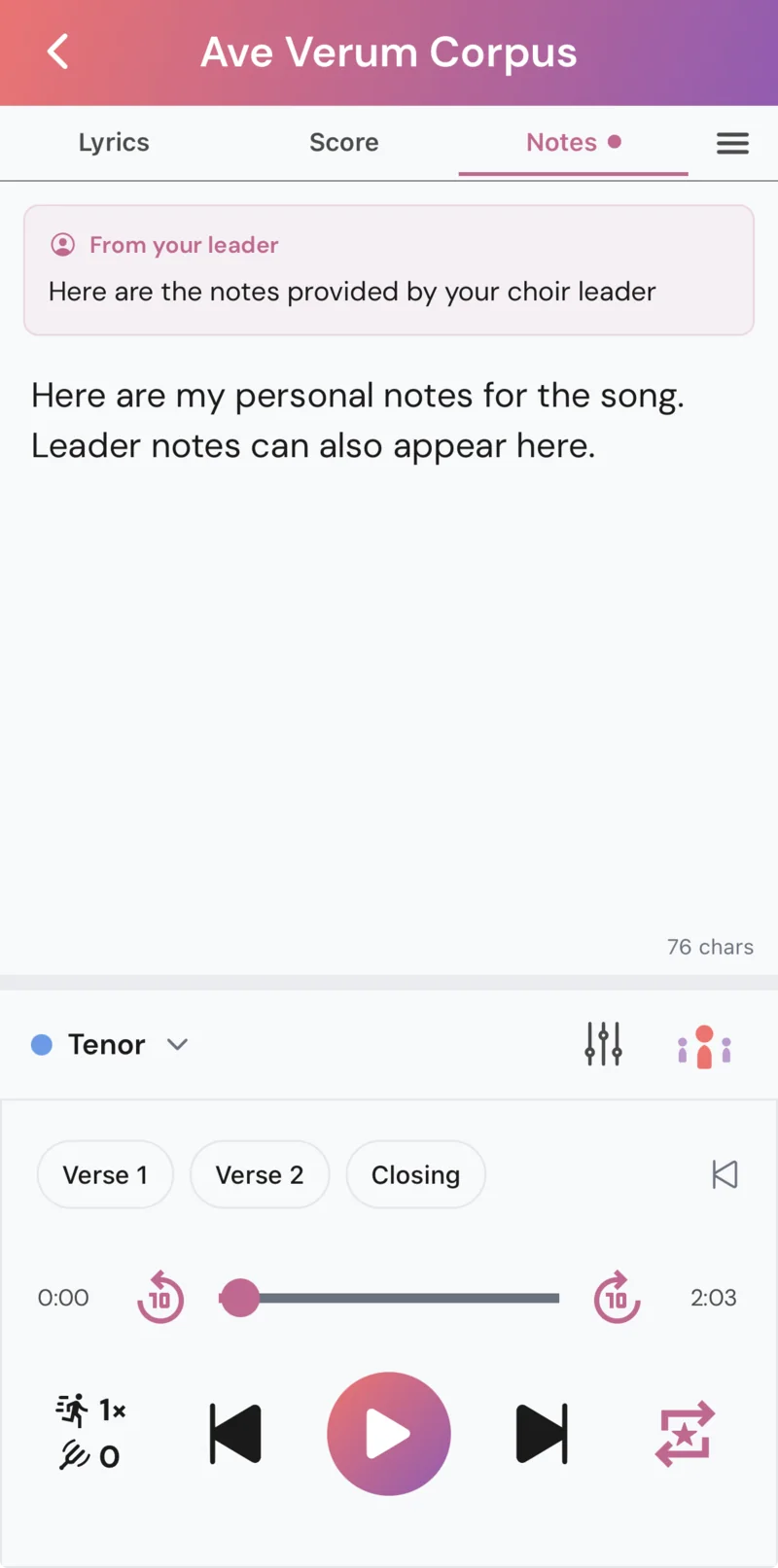
Pick your voice part once and Chorustr remembers it. On songs your choir leader has set up with separate parts (marked Mixable), the mixer lets you balance My Part, Others, Backing and Click, with presets from All Parts to Emphasised, Solo and Muted for how much support you want.
It’s deliberately simple. You don’t get a fader for every voice, just the few things that help you learn.
Practise
Nail the difficult bits.
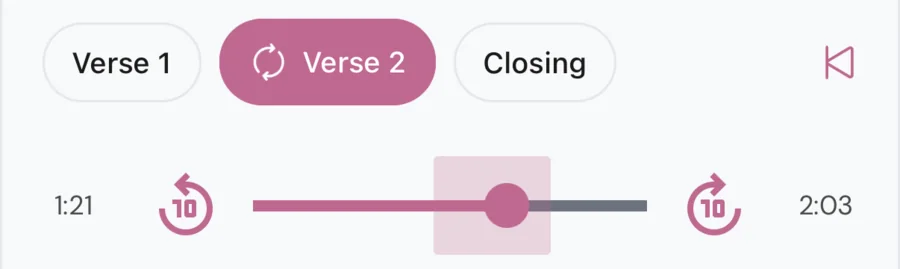
Loop a section and practise it until it sticks. Your leader’s section markers appear automatically, and you can add your own markers in Settings.
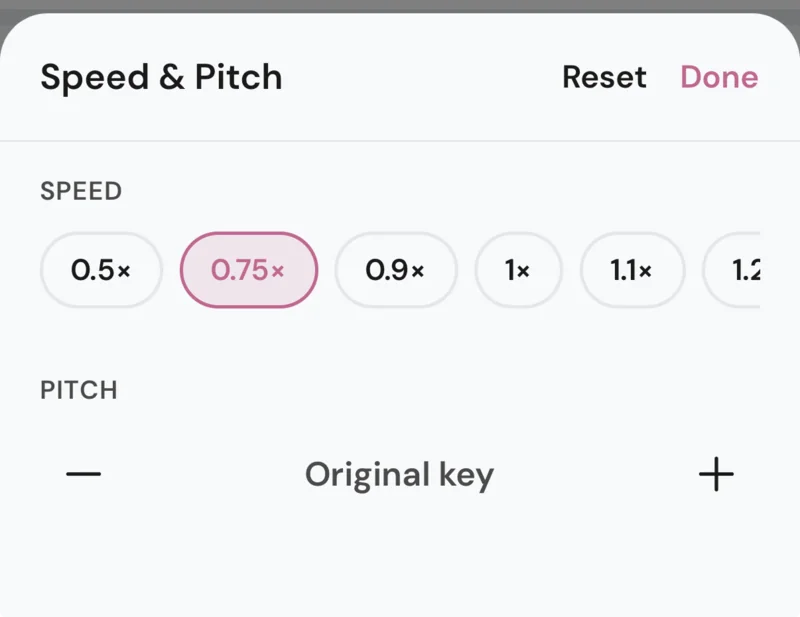
Slow a passage down without changing the key, or move the key up or down in semitone steps when your choir is singing in a different one.
Lyrics, score and notes
Everything you need on one screen.
Follow the words or the score while you listen. Where your leader has set it up, the pages turn with the music, so you never lose your place.
Your leader can pin notes to a song, such as cues and reminders, and you can keep your own private notes alongside them.
Rehearse
Mark the score. Remember the moment.
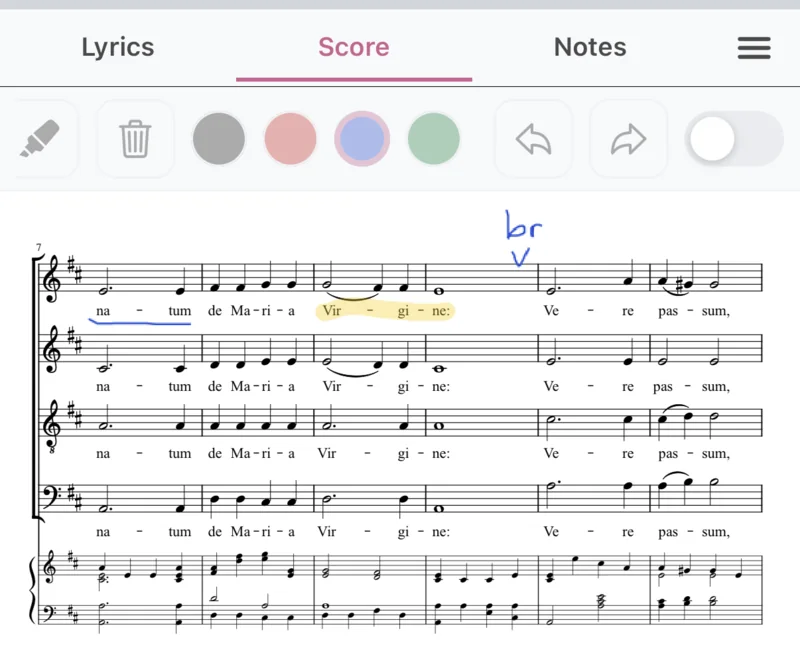
In Rehearse mode, tapping a song opens its lyrics, score and notes instead of playing it. Turn on the annotation tools in Settings to mark up the page with a pen or highlighter as your leader gives you cues.
Your marks are there when you practise. They are stored on your own device, so they are private to you.
Perform
Know what you’re working towards.
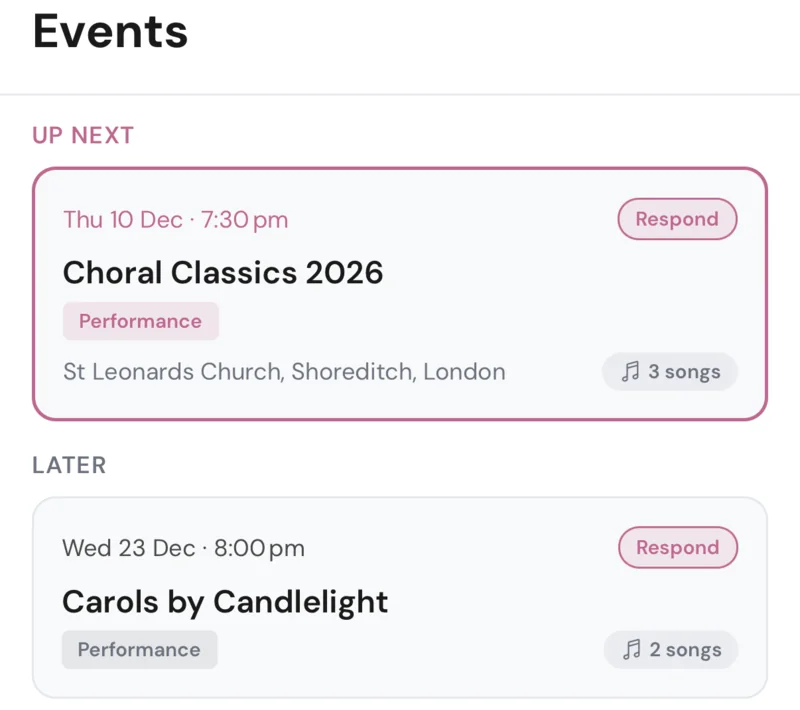
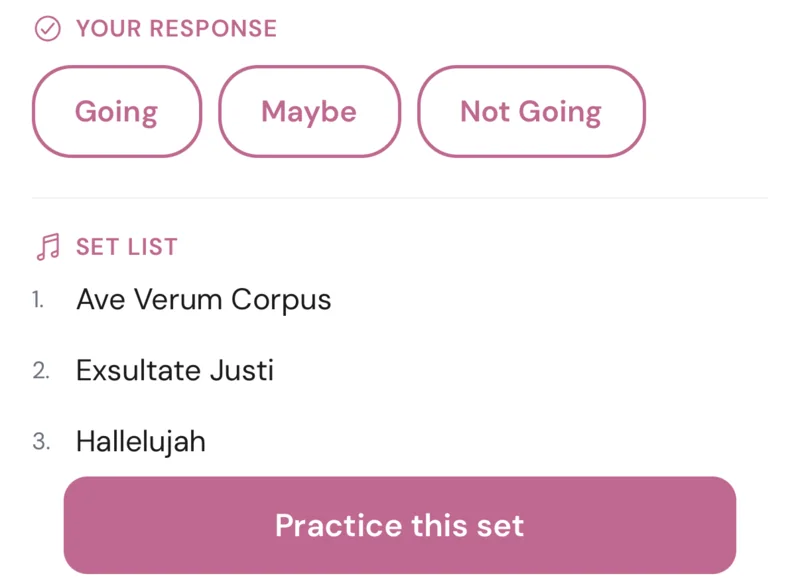
See your choir’s upcoming concerts with the date, the place and the set list, and let your leader know if you’re coming.
When you’re ready to get to work, tap Practice this set and your song list shows just those songs, in set order.
Practise anywhere.
Songs download to your phone, and once they have, you can open the app and practise without a connection.
Getting started
Join your choir in a minute.
- Get the app from the App Store or Google Play.
- Sign in with Google or Apple.
- Scan or enter the code. Scan the code your choir leader displays at rehearsal, or enter the code they give you.
Want a look around first? The app has a demo mode you can try without a choir.