Sing Together
The practice companion for choir singers. Hear your part exactly how you want it — solo, emphasised, or blended with the full ensemble. Arrive at every rehearsal knowing your part.


The practice companion for choir singers. Hear your part exactly how you want it — solo, emphasised, or blended with the full ensemble. Arrive at every rehearsal knowing your part.
Everything you need to practice smarter and arrive at rehearsal ready
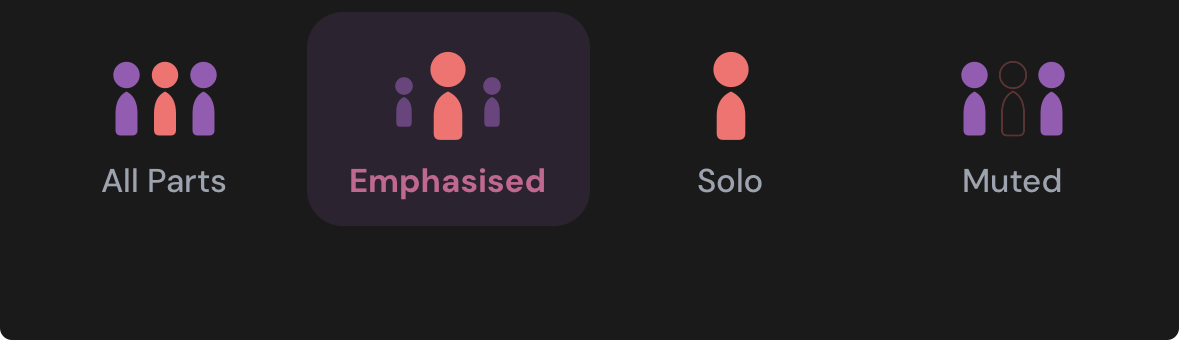
Switch between hearing the full ensemble, your part emphasised, your part solo, or your part muted — find the blend that helps you learn fastest.
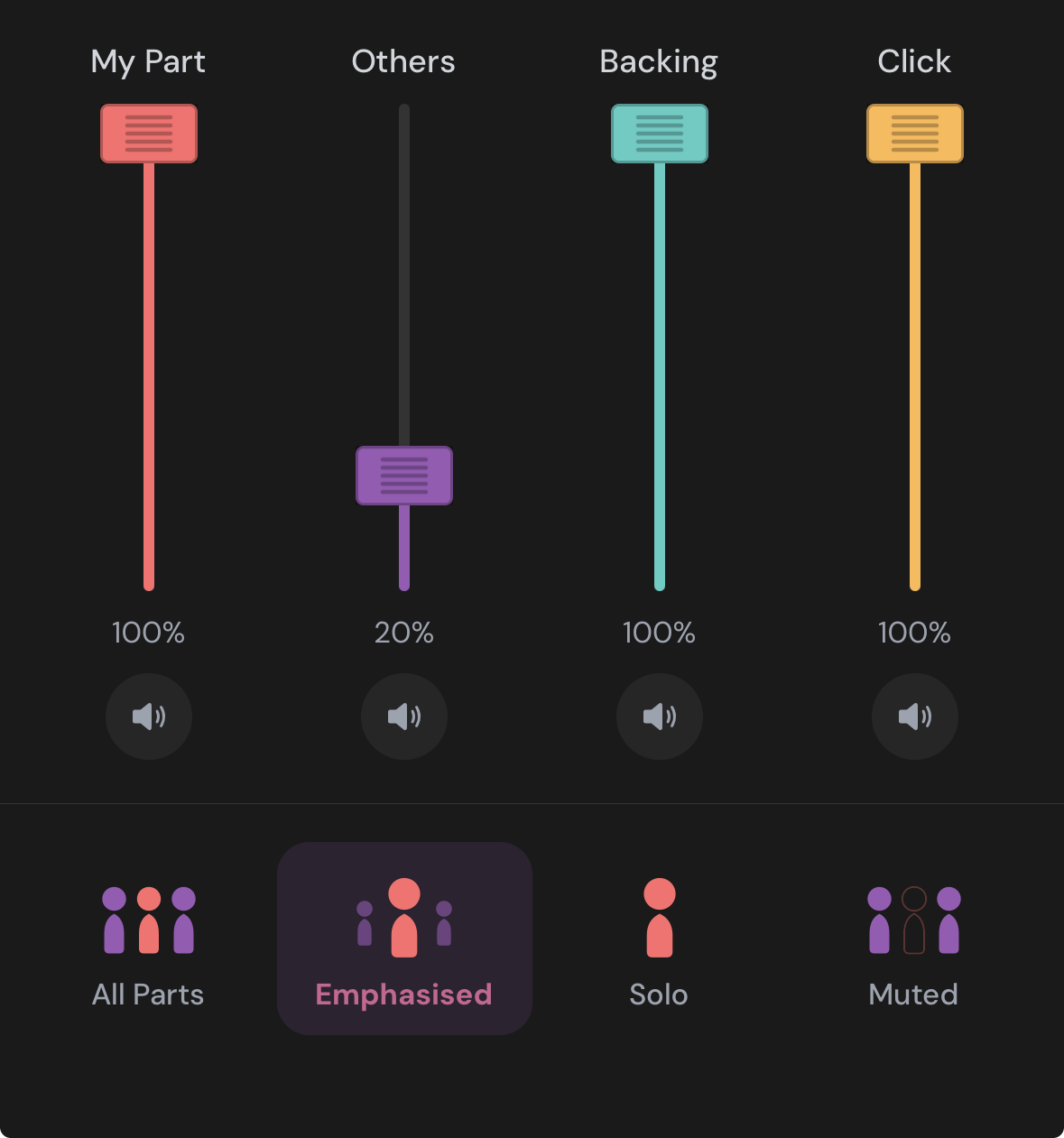
Fine-tune every channel — your part, the others, backing track, click — with individual faders. Available when your choir leader provides stem tracks.
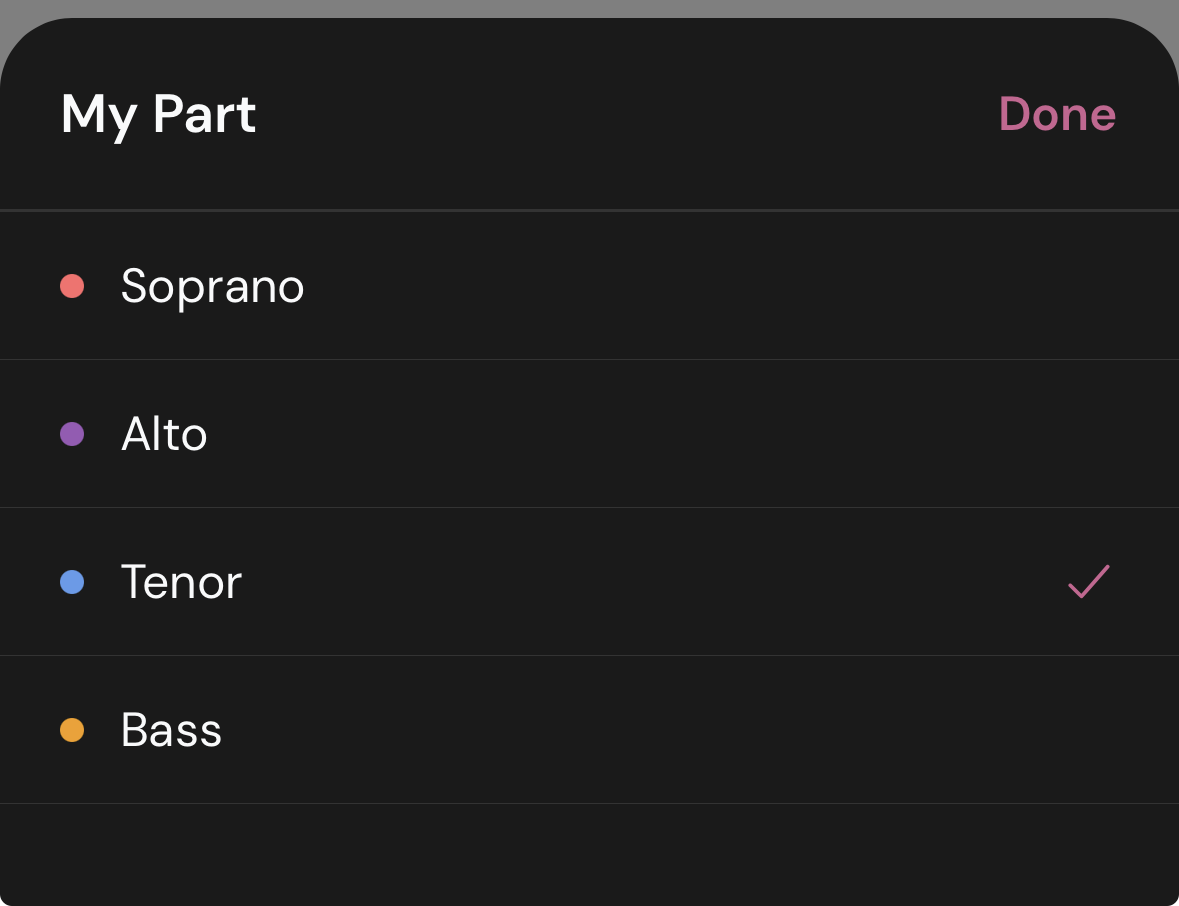
Set your voice part once and the app emphasises it for every song. Switch temporarily for any track without losing your default.
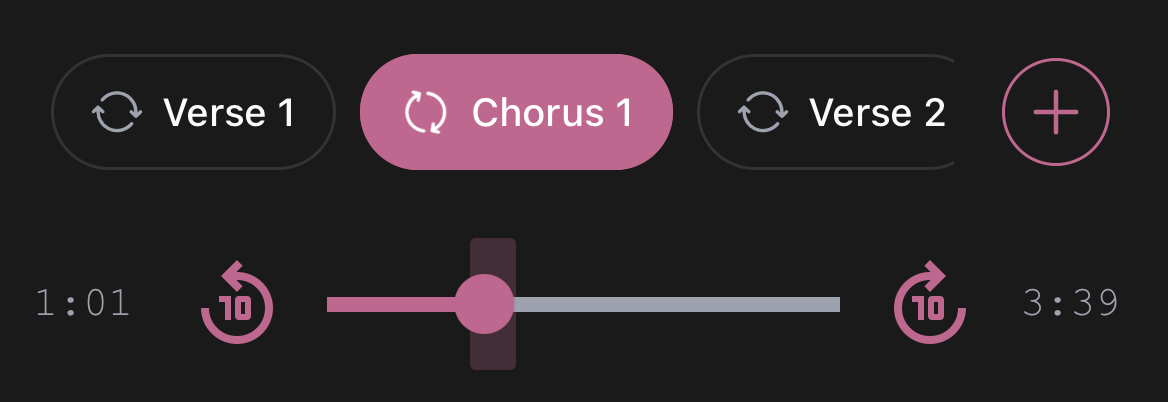
Your choir leader marks each track with named sections — Intro, Verse, Chorus, Bridge. Create your own too. Tap any section to loop it until you've got it.
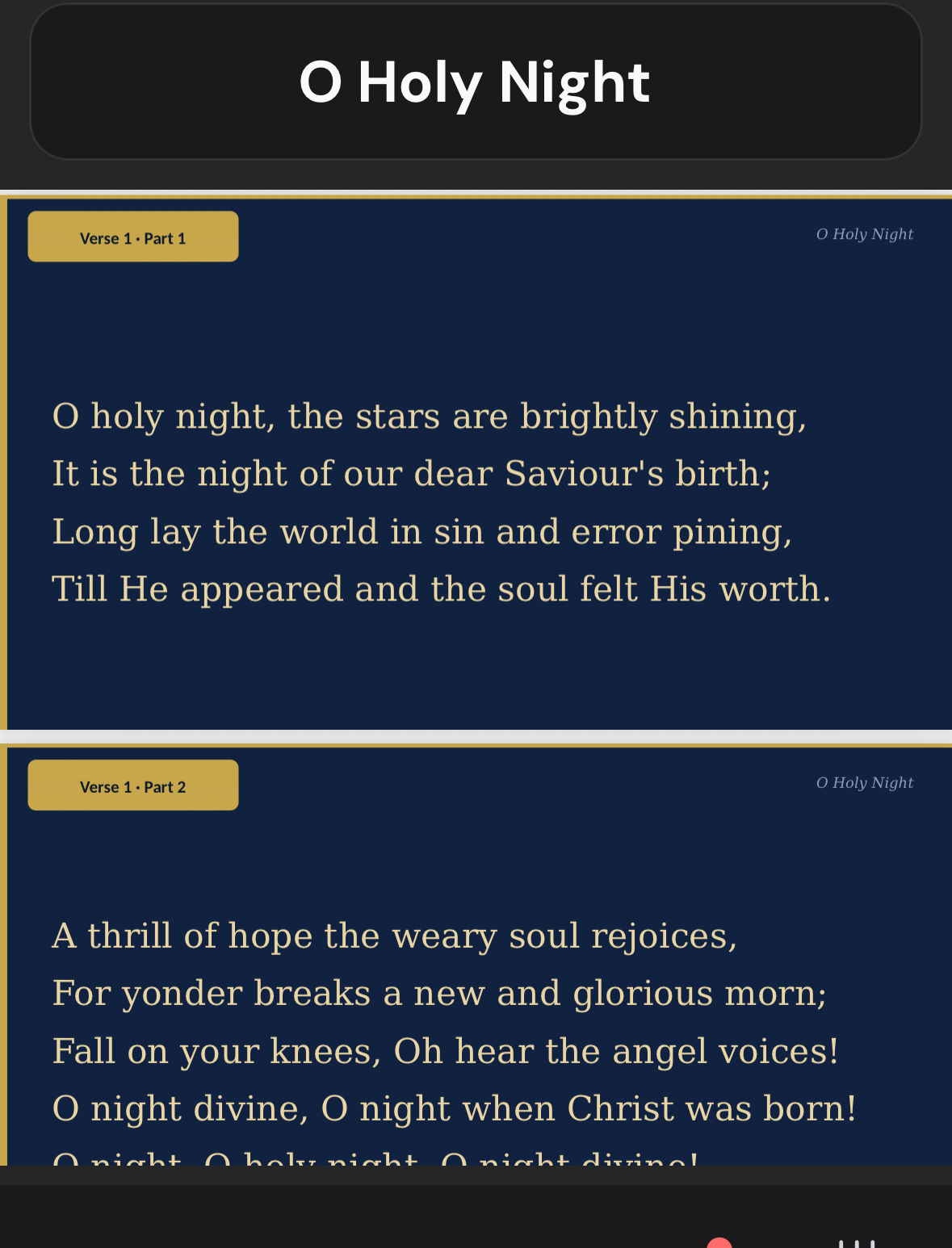
Follow the words right in the app while you listen. Your choir leader uploads PDFs — lyrics sheets, notation, or both — and they appear automatically alongside the audio.
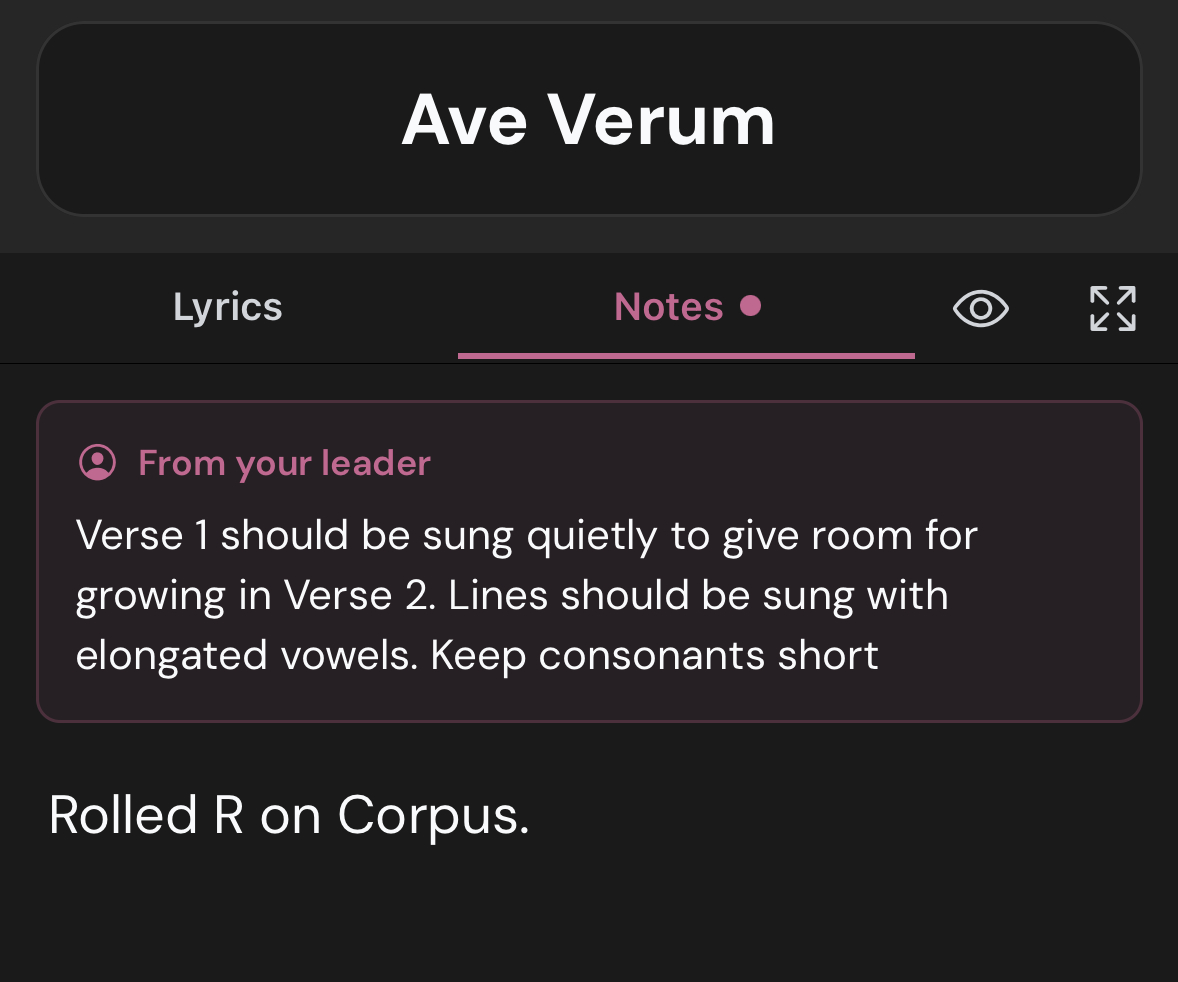
Your choir leader can pin notes to any song — cues, reminders, tips on tricky passages. Add your own private practice notes too.
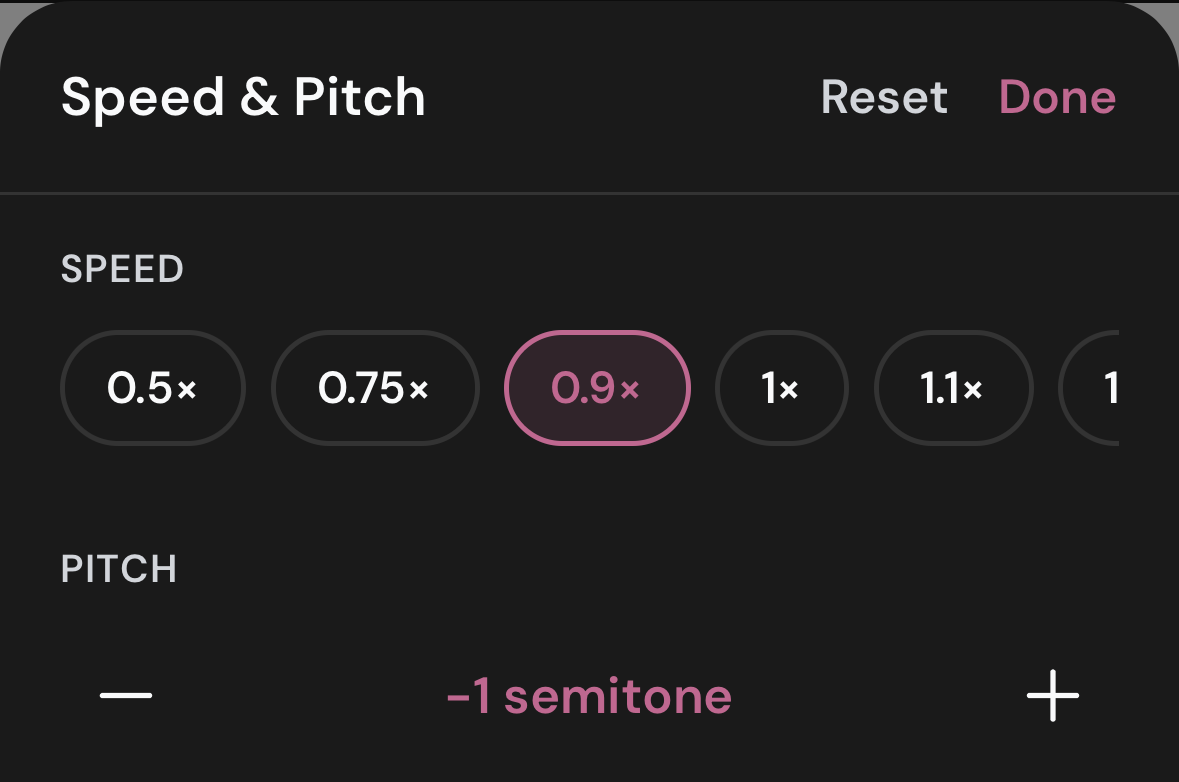
Slow down a difficult passage without changing the pitch. Transpose when the key your choir will perform in differs from the practice recording.
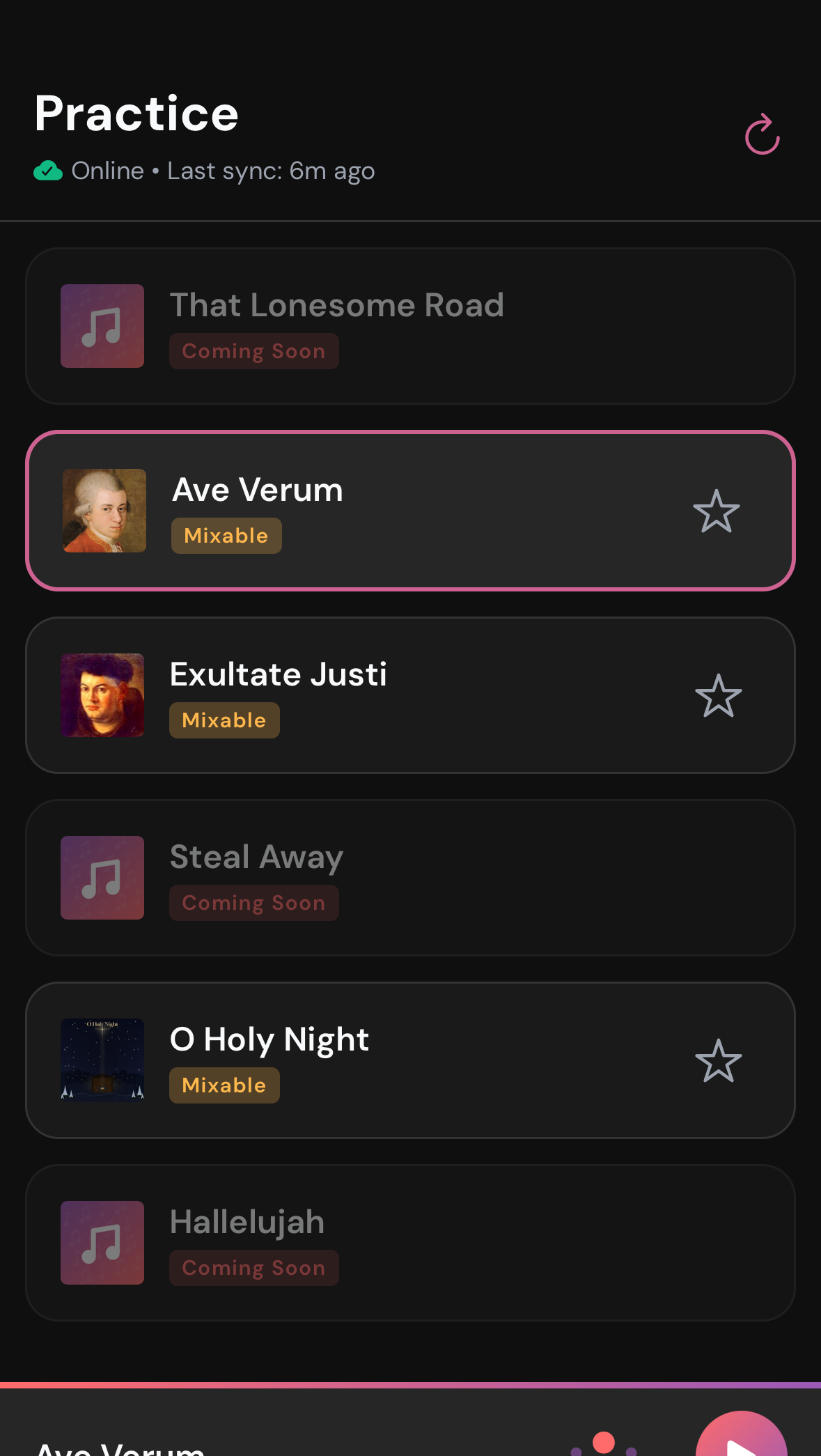
Songs download automatically when you open the app. Once downloaded, practice on the train, in the car, anywhere — no internet needed.
And so much more…
Play your whole setlist, only your starred songs, or keep one track on repeat until you know it.
Audio disabled — tap a song to view its score or lyrics. For when you’re singing with the group.
Join using a choir code provided by the choir leader or scan a QR code.
New songs from your choir leader appear the next time you open the app. No action needed from you.
Switch between light and dark themes — easy on the eyes day or night.
Full VoiceOver (iOS) and TalkBack (Android) support throughout the app.
Native apps on both platforms, built for smooth and reliable performance.
Songs are automatically tagged as New, Updated, or Coming Soon so members always know what’s changed in the setlist.
We're always working on new features to make practice even better
Play a song’s backing track in concert — stops automatically when it ends, mixer set to backing-only. No accidental track switches on stage.
Choir leaders add custom tags to songs so members have the context they need — e.g. ‘last term’ signals that long-standing members know it and new members should catch up independently.
Leaders create rehearsal and concert events with set lists. Members RSVP and see what’s coming up — all from the app.
Get notified when new songs are added to your setlist, your set list changes ahead of rehearsal, or a new event is posted.
Set up in minutes. Your singers practise all week.
Store your full library in Dropbox and selectively publish which songs your choir is currently practising. Add or remove with a tap — members see changes on their next open.
Share rehearsal days, times, location and links to your website or WhatsApp group. Members find everything they need without leaving the app.
Mark up each track with named sections so members can jump straight to the verse or chorus they need to work on — and loop it until they’ve got it.
Pin notes per song — cues, tricky-passage reminders, anything members need to know. Members can add their own private notes too.
Share your Dropbox folder with Chorustr, register your choir, and send members a joining code. No complicated admin.
Add a song to your Dropbox folder and it appears in members’ apps automatically. No manual steps needed.
Members access practice tracks through Chorustr only. They never see your Dropbox folder — no casual downloading or forwarding of your files.
Schedule one-off or recurring rehearsals. Members scan a QR code to check in at the venue. See who came, track attendance over time, and mark members present manually if needed.
See who has joined your choir and their voice part at a glance. Remove individuals to keep your membership accurate.
Open your full song archive to members so they can browse and revisit the choir’s full history — not just the current practice list.
Analyse and balance track levels across your repertoire automatically, so every song sounds consistent without manual fader tweaks.
6 months free for founding choirs — places are limited.